
Noobs in Combat Controls: Movement, Combat, and Squad Commands
Noobs in Combat controls center on selecting squads with mouse clicks, directing tile movement, triggering weapon icons against spotted targets, and pressing Enter to end turns. You can also transfer units or structures to teammates using their username.
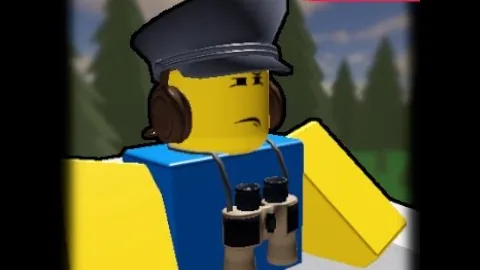
Noobs in Combat controls center on selecting squads with mouse clicks, directing tile movement, triggering weapon icons against spotted targets, and pressing Enter to end turns. You can also transfer units or structures to teammates using their username.
Basic Movement and Turn Controls
Controlling your forces on the tabletop grid relies on direct mouse interaction combined with keyboard turn management. Left-clicking a unit selects that division and highlights available destination tiles on the board. Clicking a valid hex or tile orders the unit to march forward or reposition across the map.
Standard infantry units move two tiles forward or backward and one tile across per command phase. Armored cars and scout vehicles travel significantly farther along paved road routes. Infantry can also board a supply truck to move faster across open terrain. When a squad completes its allotted movement and action, its stance changes to show it is finished for the current cycle.
Pressing the Enter key finalizes your active turn and yields control to opposing forces or cooperating squads. The game proceeds in structured phases, cycling between player moves and enemy guest divisions. Ending your turn prematurely without expending available moves leaves units stationed in their current positions, which can leave exposed squads vulnerable in neutral territory.
Combat, Targeting, and Suppressing Enemies
Attacking hostile forces requires selecting an active squad and clicking its designated combat weapon icon, such as a rifle or an RPG symbol. Selecting the attack icon highlights valid targets within the weapon's reach. Rifle fire against standard infantry causes direct casualties and applies suppression. A suppressed unit becomes pinned down and unable to move during its next action window.
Armored vehicles take minimal damage from basic small-arms fire. Defeating armored targets requires explosive-based attacks, such as dedicated RPG units or cannon rounds. Units operating at reduced health percentages suffer reduced damage output, as combat performance scales directly with remaining unit health. Scoring kills elevates unit veterancy, which permanently boosts damage output for surviving squads.
Tiles containing forests or building structures obscure occupying troops from distant observation. Hostile forces hidden in tree lines remain invisible and cannot be targeted from range until friendly units advance into an adjacent tile. Stationing your own units inside trees prevents opposing divisions from firing upon them unless the enemy reaches point-blank proximity.
Fire Support, Spotting, and Support Abilities
Long-range fire support relies on paired units rather than independent line of sight. Units such as a mortar, field artillery pieces, and rocket batteries cannot strike targets without allied spotters relaying target coordinates. Ground squads equipped with radio packs—including riflemen, scout cars, and armored cars—spot distant positions and call down artillery fire once per round.
Artillery strikes reset every turn once the firing cycle concludes. Because artillery cannons consume finite munitions, positioning a logistics unit nearby is necessary to keep artillery functional. Moving a supply truck adjacent to an artillery emplacement or depleted vehicle allows you to trigger the resupply action, which restores spent ammunition, recovers operating fuel, and heals unit hit points.
Naval combat follows identical cooperative mechanics. A heavy battleship possesses a fixed natural firing range directly forward, but bombarding inland targets beyond that sector requires line-of-sight spotting from scout planes or radio-equipped landing forces. In contrast, destroyers fire independently across medium distances without spotting links while delivering specialized anti-submarine attacks.
Automated Defensive Fire and Overwatch
Certain specialized defense squads feature an automated reaction ability called overwatch. Units like the anti tank gun, assault guns, and machine gunners do not need manual firing inputs during an opponent's turn. When an enemy enters their defensive perimeter, overwatch automatically triggers an interception strike.
Overwatch activates only when the defensive weapon is off cooldown and the squad remains set in position. Triggering an automated overwatch attack consumes that unit's combat action for the cycle, placing its primary weapon on cooldown until the following turn. Balancing manual offensive strikes against defensive overwatch postures dictates how effectively your perimeter holds against advancing enemy waves across any campaign scenario.
| Unit Role | Primary Function | Operational Cost |
|---|---|---|
| Recon & Radio Infantry | Spots hidden targets and radios artillery strikes | Consumes standard infantry movement; vulnerable to direct vehicle fire |
| Supply Truck | Refills vehicle fuel, restores munitions, and heals health | Requires adjacent positioning; lacks heavy offensive armor |
| Overwatch Gunner | Automatically fires upon approaching enemies in defensive range | Places main weapon on cooldown; demands stationary placement |
Unit and Outpost Transfer Controls
Multiplayer scenarios include a dedicated troop transfer system that lets players hand over command of field forces and buildings. Transferring a unit or captured structure ensures defensive positions remain functional if a player needs to exit the match early.
- Hover your cursor over the specific unit or captured outpost you want to reassign.
- Left-click the target to bring up the unit interaction panel.
- Click the on-screen Transfer button.
- Select the recipient teammate by their account username (the handle marked with the @ symbol) rather than their display name.
- Confirm the transfer to pass complete movement, firing, and capture authority of that unit to your ally.
Next step
Daily Rewards
Learn how the consecutive login system distributes free currency and plan your currency spending across unit evolutions and slots.