
Noobs in Combat xbox controls: Console and Interface Guide
Noobs in Combat xbox controls on Roblox utilize on-screen interface selection for turn-based tactical commands. Players issue orders, select deployments, toggle unit ambushes, and purchase reinforcements by activating target icons and menu buttons across the battlefield grid during their active turns.
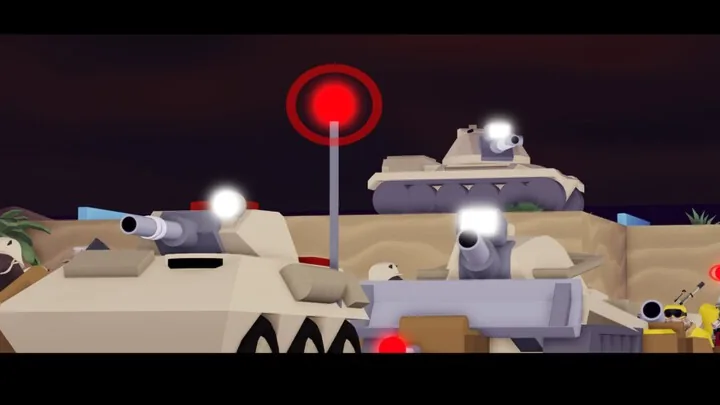
Noobs in Combat xbox controls on Roblox utilize on-screen interface selection for turn-based tactical commands. Players issue orders, select deployments, toggle unit ambushes, and purchase reinforcements by activating target icons and menu buttons across the battlefield grid during their active turns.
Tactical Interface and Action Selection
Matches in Noobs in Combat depend on selecting individual units and activating their respective action buttons. Turning a squad or vehicle toward an objective involves selecting the unit on the grid and choosing between movement, attack, or secondary utility skills. Tile movement costs appear directly in the corner of map tiles, drawn over terrain features like mountains and trees.
Commanding infantry and vehicles connects directly to combat parameters. Units inside transports display their veterancy stars and morale levels on their status cards. Infantry bought directly at an Outpost loads into an adjacent empty transport, while purchases made at an HQ can completely fill a transport vehicle.
Units equipped with ambush abilities feature an Ambush button directly on their unit portrait. Toggling this button on your turn determines whether the unit remains hidden or engages approaching hostile forces. Standard battlefield controls also allow players to inspect enemy ranges, track ammunition counts, and view dynamic sightlines through the fog of war.
Turn Management and Session Recovery
Match progression occurs in distinct turns. During team matches, players finalize their movement and attack actions before submitting their turn vote. Clicking the turn submission button locks in the choice, while clicking the unready button takes back the vote if adjustments are needed before the phase concludes.
Solo PvE encounters automatically save progress at the beginning of each player turn. If a match disconnects or closes, players can return to the lobby and select the resume prompt to continue their active session within seven days.
| Match Setup | Intended Situation | Resource or Requirement |
|---|---|---|
| Resume Saved Game | Returning to an ongoing solo scenario within seven days | Consumes one of three resume slots if actions were taken on the last turn |
| Fresh Campaign Match | Starting a scenario run from turn one | Grants all three resume slots back |
| Private Room Lobby | Playing co-op matches with specific teammates | Requires inviting participants directly |
Resuming a solo game only consumes one of the three available session slots if the player moved, attacked, or purchased units during the turn prior to leaving. Leaving without taking an action keeps the resume slot intact.
Deployment Menus and Lobby Settings
Pre-game preparation takes place across four primary lobby tabs: Profile, Tech Tree, Game Menu, and the Robux Shop. Players configure up to ten custom loadouts and rename them through the deploy interface. Selecting a loadout preset button inside the deployment unit picker applies that squad setup immediately for in-match purchases.
Map selection inside the campaign menu splits into four difficulty categories: Beginner, Medium, Hard, and Expert. Unlocking higher campaign tiers requires clearing all available maps in the preceding rating. Every individual map supports three difficulty modifiers: Normal, Tryhard, and Rigged. Selecting Tryhard or Rigged requires completing the scenario on the lower difficulty settings beforehand.
Unit progression relies on experience gained during battle. Inside the tech tree, filling the blue experience bar beneath an icon allows the unit to evolve into higher tier variants using collected Research Points and Nuggets. Units belonging to the same evolutionary path cannot occupy the same active loadout roster.
Next step
Artillery Loadout Guide
Learn how to build balanced artillery loadouts in Noobs in Combat with proper fire support, radio units, and supply lines.